
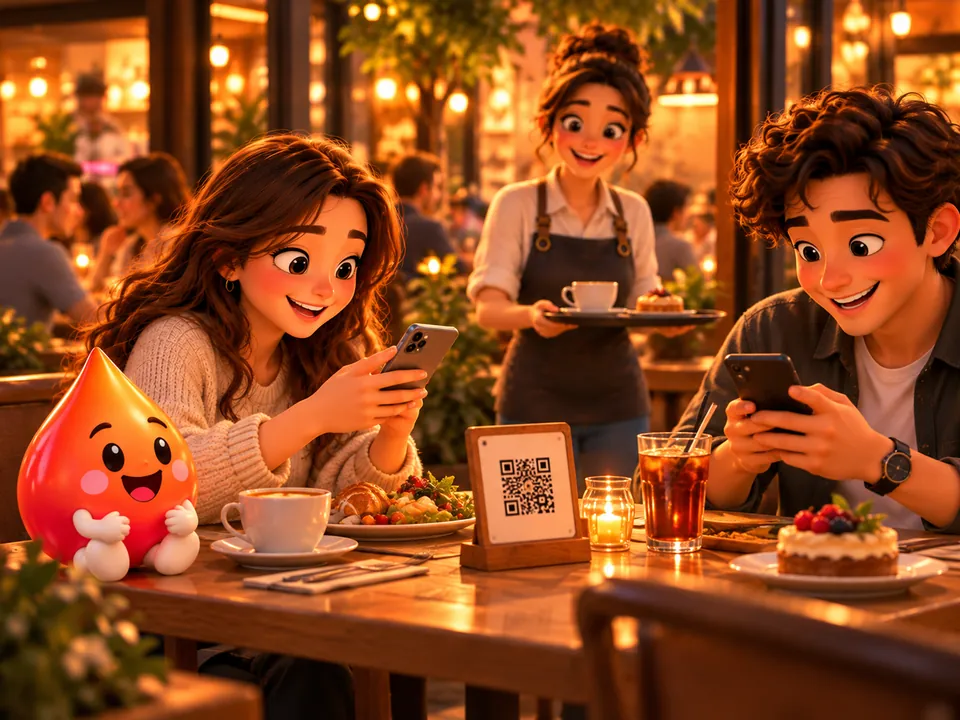
Is QR code ordering secure? QR code ordering security depends on how the system treats the QR code. In a setup that counts anyone who scans the code as someone sitting at the table, even a photo of the code is enough to place an order. An incident during a livestream in late October 2026 showed this in front of everyone.
In this article we explain what actually happened, where the real risk in QR ordering starts, and what you should ask when choosing a system.
What happened during the livestream?
A streamer was broadcasting live while eating at a restaurant. The table’s ordering QR code came into the camera’s view. Some viewers scanned the code from their screens and started placing orders in that table’s name.
The streamer said the receipts that came in added up to around 12,000 US dollars. In the news, the story spread as a huge bill run up by viewers. But the rest of the story barely made the headlines:
- The restaurant confirmed the unauthorized orders. Staff didn’t realize at first that the orders were a prank, and some dishes were prepared. Once they spoke with the customer, some of them were thrown away without being served.
- The restaurant denied the claim of a 12,000-dollar charge. According to its statement, it charged only for the items that were consumed.
- The streamer later apologized. The streamer said that, because of a language barrier, they first believed they were responsible for the whole bill, and that after learning the truth they didn’t correct this on stream.
How much the streamer finally paid was not disclosed. So the claim that viewers made the streamer pay a huge bill is not proven. What is proven is this: people far away were able to place orders with the table’s QR code, and some of those orders made it all the way to the kitchen.
The real problem isn’t the bill, it’s the open door
The cost of this incident showed up in the restaurant’s kitchen more than on a streamer’s bill: wasted ingredients, wasted staff time, disrupted service and a business name debated on social media.
And it doesn’t take a famous streamer. A photo of the table card can be shared in a group chat, or a customer can save the link on their phone and open it from home. A QR code isn’t a password; it’s an address. Knowing the address doesn’t prove you’re sitting at the table.
The risk of a setup where the QR code is the only key
In QR ordering designed for quick setup, the flow is short: the code is scanned, the cart is sent, the order lands in the kitchen. When everything goes well, it’s convenient for both the customer and the business. But this flow leaves four questions unanswered:
- Is this phone really at the table?
- Who can add items to this table’s tab?
- Does a person see the order before it goes to the kitchen?
- If 15 dishes are ordered for a table for two, how does the system catch it?
Ask the vendor these questions when choosing a table ordering system. Products sold under the same name can give very different answers.
| Ask | Weak answer | Answer to look for |
|---|---|---|
| How does the order reach the kitchen? | Whoever scans sends it; it goes straight through | A cashier or server sees and approves it first |
| Who can add to an open tab? | Anyone who opens the link | Only phones linked to the table |
| Are remote requests noticed? | They look like normal orders | Staff see a warning |
| Is there a limit on repeated submissions? | No | Yes, with a lockout after failed attempts |
How does sipnik Table keep QR ordering secure?
In sipnik Table, the QR code opens the menu, but on its own it can’t send an order to the kitchen. We built this with four layers:
- An open tab is joined with a table code. While a table has an open tab, a new phone can’t place an order or see the tab. It first has to enter the 4-digit table code specific to that tab. After repeated wrong attempts, entry is locked for 15 minutes.
- Orders go through approval first. The cart the customer sends lands as a request on the POS or on the server’s screen, depending on how the location works. The cashier approves or rejects it; the server transfers it to the tab. A request that isn’t approved doesn’t go to the kitchen and isn’t added to the tab.
- Staff see suspicious requests. If a request comes from an empty table, the POS shows the warning “check that someone is seated at the table”. If the same phone is seated at another table, that is shown too.
- Server verification can be turned on if you wish. In businesses with this setting enabled, an order isn’t processed until the server scans a short-lived code on the customer’s phone.
If the same incident had happened at a business using sipnik Table, viewers would have scanned the QR code and seen the menu. Because the table had an open tab, they would have been asked for the table code when trying to order. Even if the table had looked empty, the requests would have waited for approval at the POS; once the cashier rejected them, nothing would have gone to the kitchen.
These layers don’t reduce the risk to zero; they put the door in human hands. The menu is open to everyone, because that’s what a QR menu is for. The system can’t stop someone who reads out the table code on a livestream, and the cashier still needs to check requests from empty tables. Even so, there is always a person who can stop a wrong order before it reaches the kitchen.
Table ordering, with you in control. With sipnik Table, customers order from their phones, and with the cashier’s or server’s approval the order moves to the tab and the kitchen. Details: Table ordering system.
5 practical measures for your business
- Take orders through an approval flow. Even at peak hours, a one-tap approval is cheaper than a tray cooked for nothing.
- Have staff question odd orders. Fifteen dishes for a table for two should be checked with the table before they reach the kitchen. That is exactly what was discussed after the livestream incident.
- Keep the table code at the table. The code should only be shared with the people at the table, never posted on social media or anywhere everyone can see it.
- Question requests from empty tables. If an order comes in while no one is at the table, take a look at the table before approving. If it keeps happening at the same table, a photo of the card may be circulating.
- Walk your team through this scenario. Decide in advance who does what when an unauthorized order comes in.
If you’re setting up a QR menu from scratch, see our guide How to create a QR menu; for the full ordering and payment flow, read QR code ordering and payment.
Frequently asked questions
Is a QR code menu safe?
With a QR menu that only displays the menu, the risk is low because no orders are taken. Once table ordering is enabled, security depends on how the order is verified before it goes to the kitchen.
Can someone order with a photo of the table’s QR code?
In a system where the QR code is the only key, yes. In sipnik Table, the request they send first goes to staff for approval; and if the table has an open tab, they can’t order without the table code.
Did the streamer really pay the huge bill?
This was not confirmed. The streamer spoke of receipts of around 12,000 US dollars, while the restaurant said it charged only for the items consumed. The amount paid was not disclosed.
Doesn’t the approval step slow down ordering?
The cashier or server sees the request on their own screen and processes it with one tap. The customer also follows the order status on their phone.
Skip setting all this up piece by piece.
Wallet, loyalty, subscriptions and order-ahead come ready for your brand.
Sip Your Brand!