Your warehouse, vans and branches in one ledger.
sipnik Sahada is the stock panel and field sales app for businesses with a warehouse, vans or branches. From goods receipt to transfers, from counts to waste, every movement is posted to the ledger with a document; cost is FIFO, and batches and expiry dates are tracked automatically. Your van sales team loads, sells and returns goods from the same ledger.
For café and restaurant chains, bakeries and wholesale brands that sell by van · Panel: my.sipnik.com · App: iOS and Android, in pilot
Every movement is a document, every document goes in the ledger.
Stock quantities are never typed in by hand; the balance is the sum of the movements. Products and raw materials share the same ledger, each in a location: central warehouse, branch stockroom, bar and kitchen, van, van returns compartment, scrap, and goods in transit.
From goods receipt to counts, every job has its own document.
Warehouse work is done in the sipnik panel, in your browser; it opens on both computers and tablets. Scan, enter the quantity, approve: stock, cost and batch update at the same time.
Goods receipt
Scan the barcode or GS1 code; batch and expiry date fill in automatically from GS1. A case barcode comes in as a case and is converted to pieces. Approve with the supplier, delivery note number and unit price.
Two-step transfer
Central warehouse to branch, branch to branch, warehouse to van. On dispatch the goods go into transit; the receiver enters the quantity that arrived and any difference is recorded.
Counts and blind counts
Count a whole location, a category or selected items. In a blind count the counter doesn't see the expected quantity; once the difference is approved, an adjustment movement is posted.
Waste and losses
Spoilage, expiry, breakage, complimentary: every waste entry is recorded with its reason. The waste report shows what was lost, where and why.
Return to supplier
Send faulty or surplus goods back to the supplier with a document; stock and cost go down accordingly.
Opening count
Day one of the switch: the starting stock for everything goes in with a single document. Your products and raw materials are turned into stock items in bulk.
The nearest date goes out first; expired goods are never sold.
Every batch is tracked with its expiry date; as goods move from the warehouse to a van or branch, the batch goes with them. Expired goods are withdrawn from sale automatically.
What is your stock worth, and what should you order, and when?
Every goods receipt goes in with its unit price; your stock value, recipe costs and next order all come from the same data.
FIFO cost and stock value
Purchases are kept in layers, and when stock goes out the cost of the oldest layer is used first. See your stock value by warehouse, branch and van.
Purchase suggestions
Works out what you need to buy from min/max levels and the last 30 days' consumption rate, grouped by supplier. Send the order by WhatsApp or as a PDF; when the goods arrive, open a goods receipt from the order.
Suppliers and price lists
Each supplier's card shows its price list, recent goods receipts and total purchases. Every item has a default supplier, and suggestions are grouped by supplier.
Recipes
List a product's raw materials with quantities and waste percentages: one recipe for the whole business, with branch variations where needed. Cost and margin are calculated from raw material costs.
The first place you look each morning.
The warehouse summary brings the figures and everything that needs attention onto one screen; each alert takes you to the relevant list. If you're just starting, the set-up steps also appear here in order.
A van is a warehouse too. Your team sells from the same ledger.
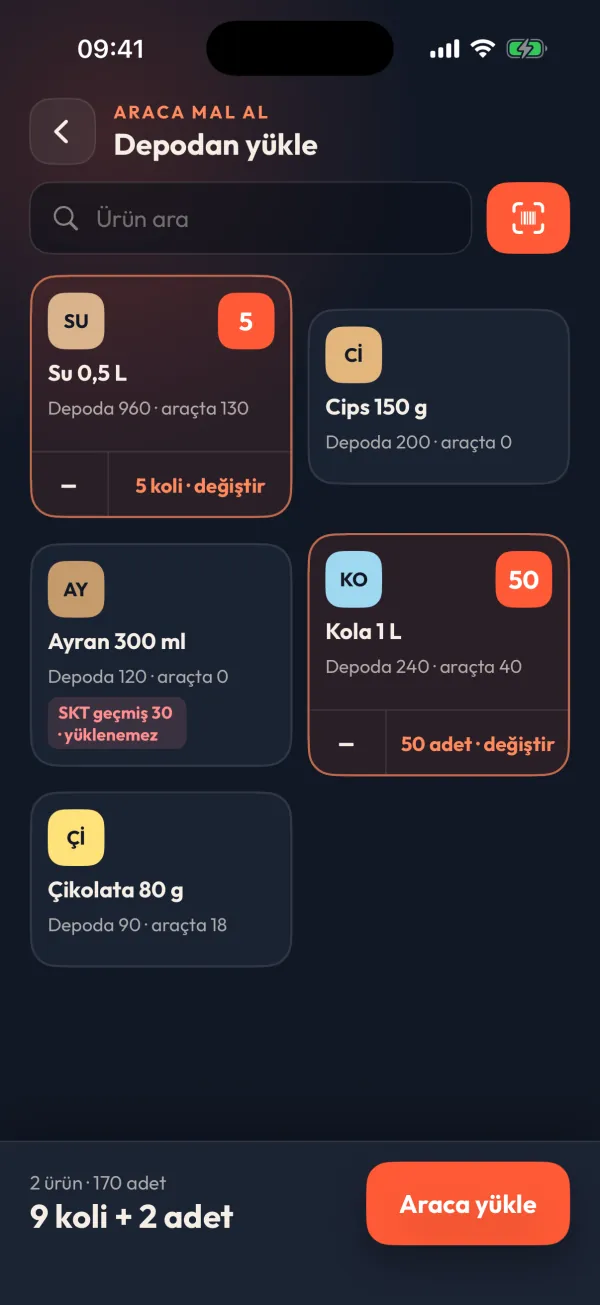
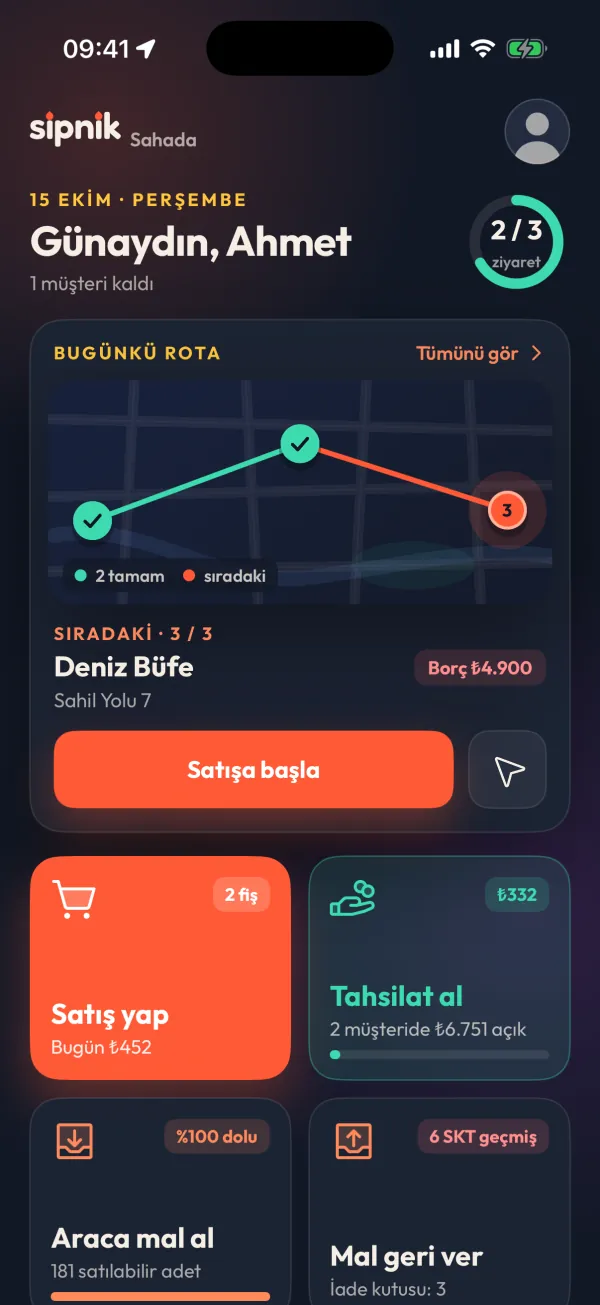
An iOS and Android app for teams selling by van to corner shops, markets, kiosks and cafés. Goods are loaded from the warehouse onto the van with their batches, sales come off the van stock, and returned goods are handed back to the warehouse; every step shows in the panel.
The warehouse in the panel, sales in your pocket.
sipnik Sahada has two parts, and both use the same ledger.
Sipnik panel
my.sipnik.com · in your browser, on computers and tablets
- Warehouse: goods receipt, transfers, counts, waste, returns to suppliers, opening count
- Purchasing: order suggestions, orders, suppliers and price lists
- Cost: FIFO stock value, recipes, cost and margin
- Tracking: warehouse summary, stock, batches, movement ledger
- Field management: vans, sales team, customer assignment, credit limits
- Routes: day-by-day route plans, drag-and-drop ordering
- Campaigns: percentage, fixed amount, buy X pay for Y; targeted by product, category and customer
- Monitoring: sales, visits, live map, location settings
sipnik Sahada app
iOS and Android · for the team selling by van
- Load van: from the warehouse, with batch and expiry date; repeat yesterday's load in one tap
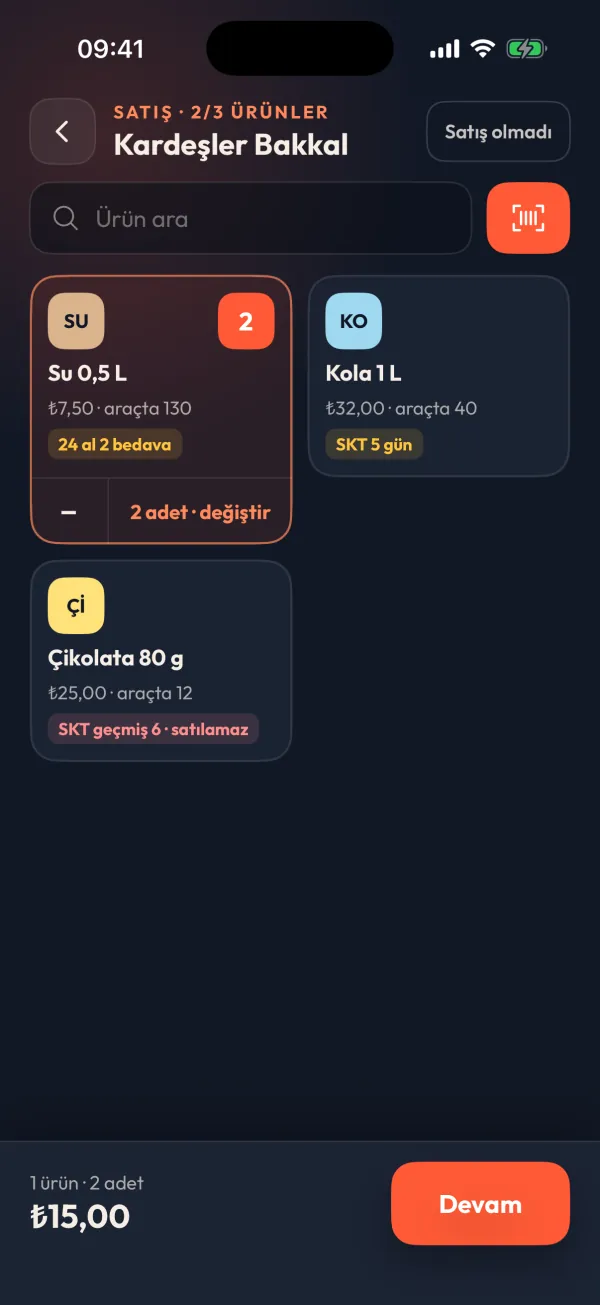
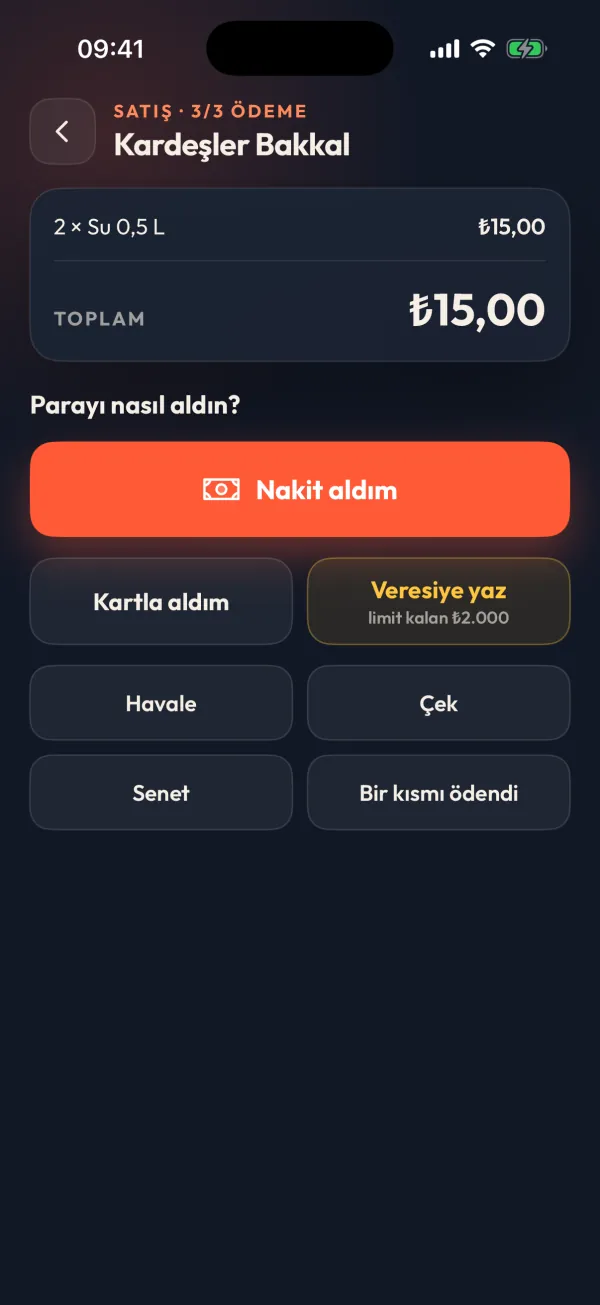
- Sales: customer, products, payment; done in three steps
- Collections: the balance is on screen and settled in a few taps
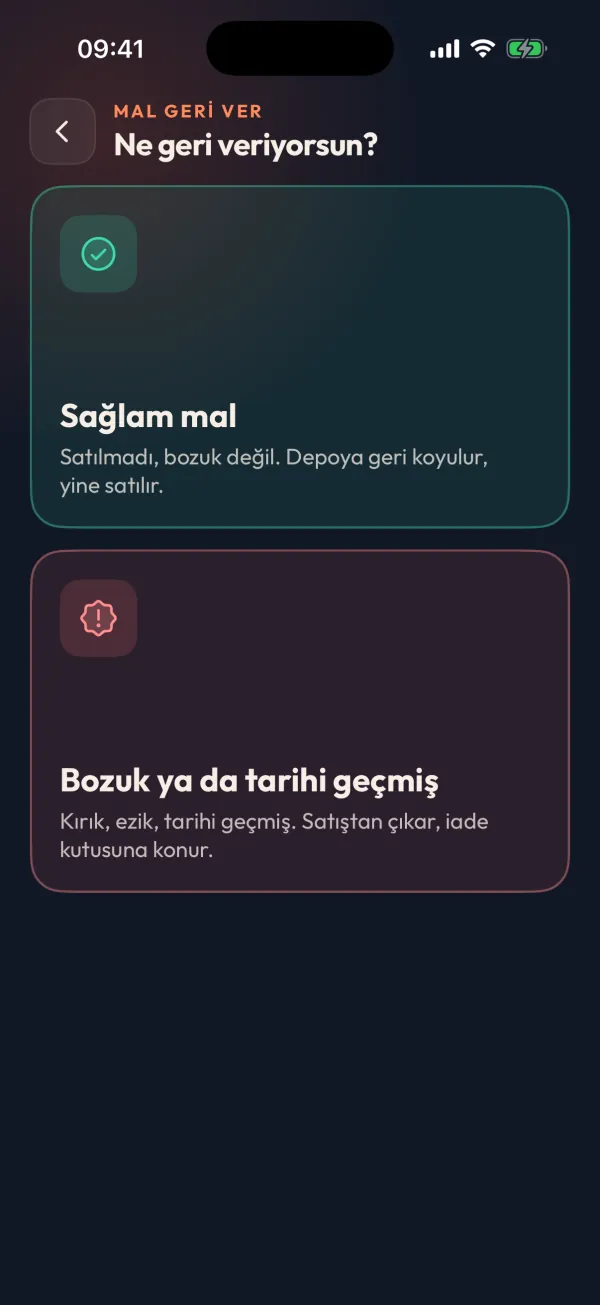
- Return goods: goods in good condition to the warehouse; damaged or expired goods to the returns box, then handed over to the warehouse
- Today's route and my customers; visits are logged automatically
- Works offline and sends when the connection returns
Your warehouse in one ledger, in three steps
Common questions
Who is sipnik Sahada for?
For businesses with a warehouse, branch stockroom or sales vans: café and restaurant chains, bakeries, and wholesale brands and distributors that sell by van to corner shops, markets, kiosks and cafés.
Where do I do the warehouse work?
In the Sipnik panel (my.sipnik.com), in your browser; it opens on both computers and tablets. Goods receipt, transfers, counts, waste, returns to suppliers, purchasing and recipes are all in the panel. A separate tablet app for the warehouse team is coming soon.
What does the mobile app do?
It is an iOS and Android app for the team selling by van: loading goods from the warehouse onto the van, sales, collections, returning goods and van stock. The app is in pilot; ask for a demo to try it.
How is cost calculated?
With FIFO: unit prices entered at goods receipt are kept in layers, and when stock goes out the cost of the oldest layer is used first. Stock value is shown by warehouse, branch and van.
What happens to expired goods?
They cannot be sold, and they cannot be sent to a van or branch either. They leave stock through waste, a return to the supplier, a count or a return to the warehouse. In the app, the product is marked "Expired · not for sale".
Can I sell without an internet connection?
Yes. The app queues transactions and sends them when the connection returns; the same sale is never recorded twice.
Is the sales team's location tracked all the time?
No. Location is shared only during working hours; the business decides in the panel whether it is on and what the working hours are.
How do I bring in my existing stock?
You turn your products and raw materials into stock items in bulk, then enter the starting stock for everything with a single opening count document.
Your warehouse and your field team in one ledger.
Sip your brand: let's talk. The call is free, with no commitment.