Tap
Your own video or campaign plays on the idle screen; one tap asks eat here or take away.
sipnik Kiosk is your self-service ordering kiosk with a portrait touchscreen. Guests tap the menu, choose and pay with the app wallet or a contactless card; the order reaches sipnik Kasa and the kitchen with a queue number.
No waiting at the counter: guests browse at their own pace while you focus on preparing orders.
Your own video or campaign plays on the idle screen; one tap asks eat here or take away.
A photo menu, options and “goes well with …” suggestions. Sold-out items hide automatically.
Scan the app QR and pay from the wallet, or tap a contactless card on the kiosk’s POS. Card payments print a fiscal receipt.
The queue number is on screen and on the receipt; the order reaches sipnik Kasa as “Kiosk #12 · Eat here”.
Guests who scan their QR use the kiosk like their own menu; everyone else orders in a few taps.
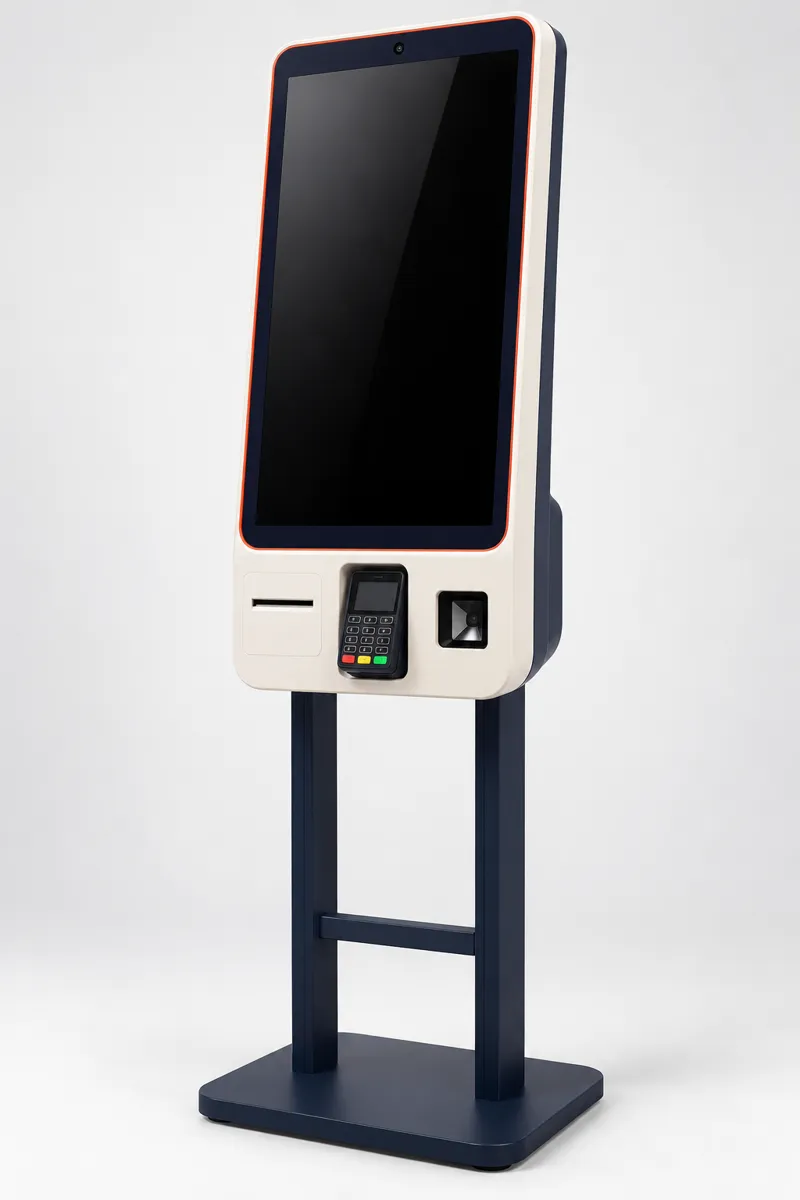
sipnik Kiosk runs on portrait touchscreen kiosks with Windows. We handle setup and pairing; the device links to your brand with a 6-digit code from the panel.
Kiosk orders show in Kasa with their own badge and a large queue number; the kitchen ticket prints the number at the top. Kiosk is a separate channel in the sales report, and you can run campaigns for the kiosk only.
sipnik Kiosk is a self-service ordering kiosk with a portrait touchscreen. Guests browse the menu, choose, pay and get a queue number; the order reaches sipnik Kasa and the kitchen at the same time.
Two: scanning the QR code in the sipnik app and paying from the wallet, or paying with a contactless card on the kiosk’s POS terminal. Card payments print a fiscal receipt on the terminal.
Kiosk orders arrive in sipnik Kasa on the “Kiosk” channel with a queue number, shown as “Kiosk #12 · Eat here”. The queue number is printed large on the customer and kitchen receipts.
You can turn a second screen into a queue display showing numbers being prepared and ready. Guests who pay with the app can also follow their order on their phone.
Yes. In the Kiosk section of my.sipnik.com you choose a layout and upload your own videos and images; the kiosk shows the new idle screen within minutes.
When creating a campaign you can select “Kiosk” as a sales channel; the discount is applied at checkout for guests paying with the wallet. Kiosk is a separate channel in the sales report.
Portrait touchscreen kiosks running Windows, with a QR reader, thermal receipt printer and POS terminal. We handle setup and pairing; the device links to your brand with a 6-digit code from the panel.
Let’s set up your kiosk together; we prepare device pairing, the menu and the idle screen. The call is free and there’s no commitment.